Every receipt
is a deduction
Scan it in seconds · Deduct it at tax time
Built for people who can't afford to lose receipts
- Rideshare drivers
- Plumbers
- Photographers
- Real estate agents
- 1099 freelancers
Your tax prep is costing you money
Your glovebox is a receipt graveyard
Fuel, tolls, supplies, client coffees — they pile up, they get crumpled, half of them never make it home. Every lost one is a deduction you'll never claim
$3,000 quietly handed to the IRS
The average self-employed pro leaves $3,000 to $5,000 in legitimate deductions unclaimed every year. That's not lost revenue — it's cash you already spent, then paid tax on twice
Your proof fades in 6 months
Thermal receipts (gas, restaurants, most retail) lose their print in 6 to 24 months. By tax time, half your deductions are literally blank paper — and the IRS doesn't accept "trust me"
Scan in seconds, not weekends
Scan at checkout and you're done. Skip it, and you're burning billable hours reconstructing a year of faded paper from a shoebox
Three taps. Not three screens
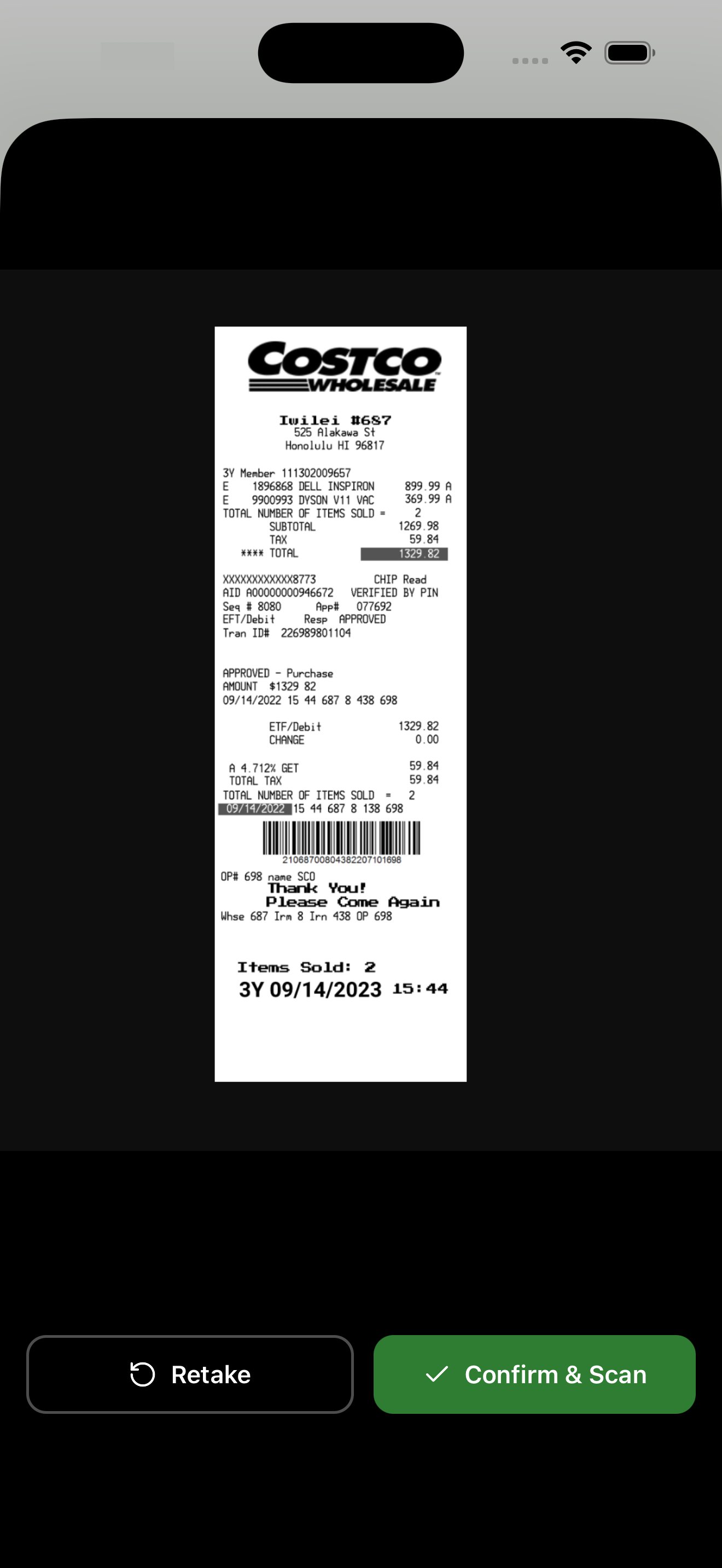
Scan
Open the app, point at the receipt. AI reads vendor, date, total, category in seconds — even if it's crumpled or faded
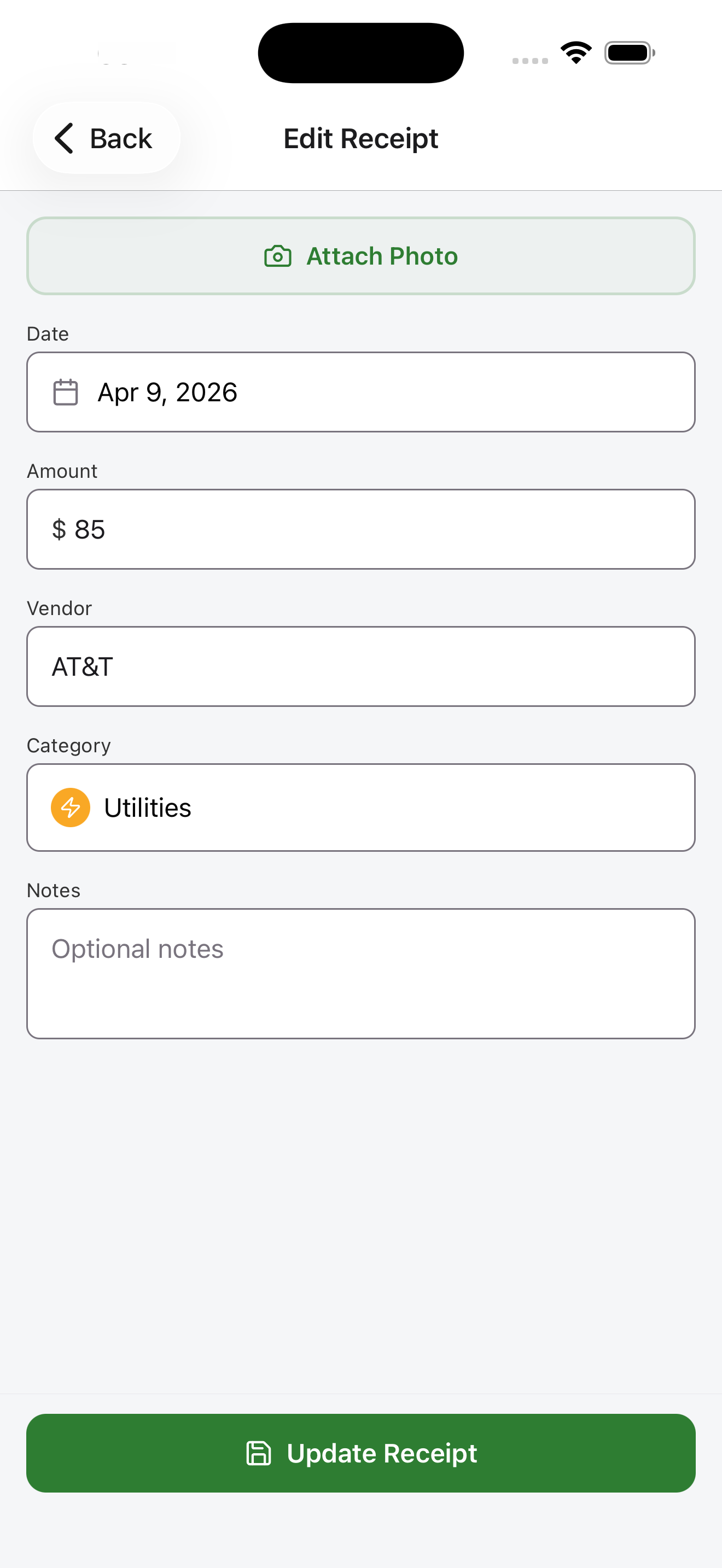
Review
One glance. Edit the category if you want. Swipe to save. No 10-field form
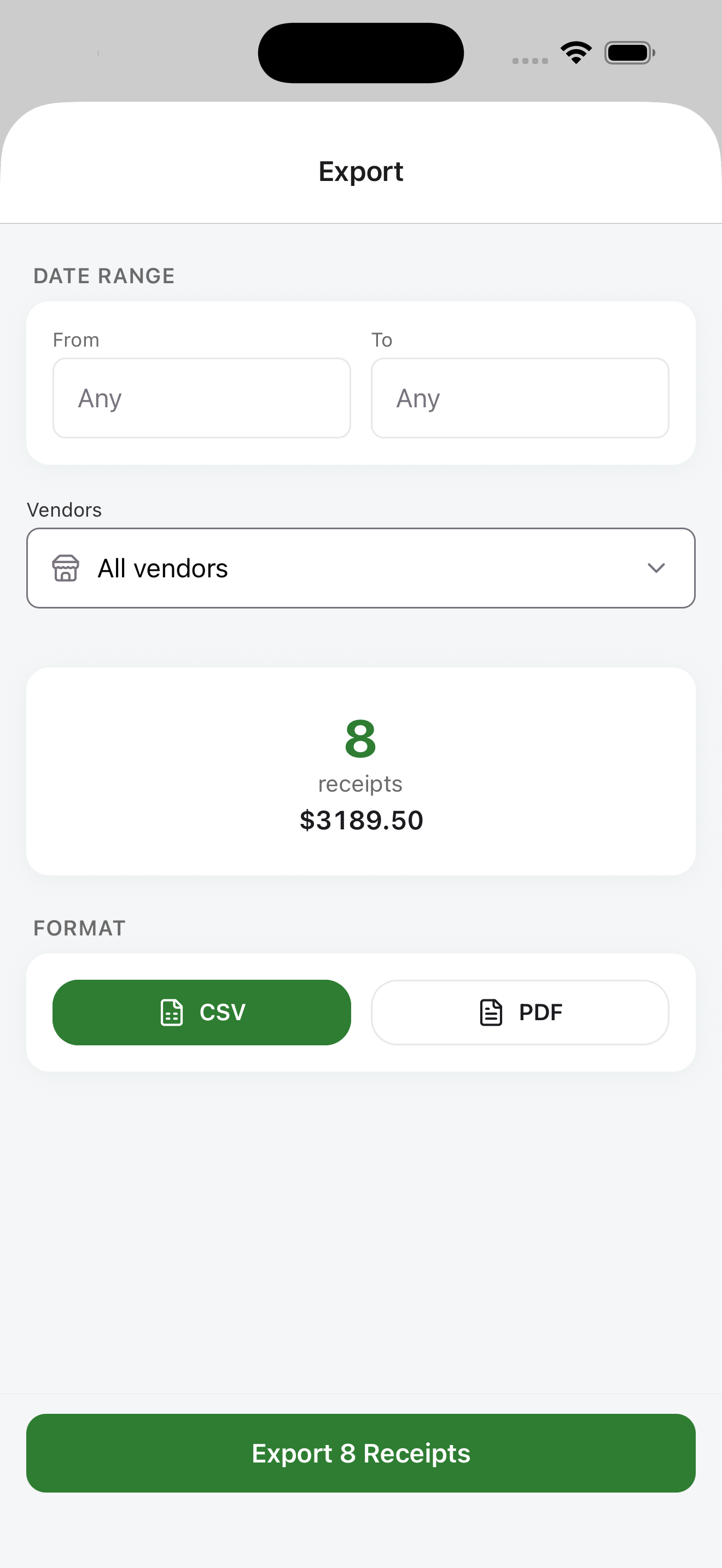
Export
Email a CSV to your CPA. Export a PDF for your records. Done in two taps
Built for speed. Not for feature bloat
AI OCR in seconds
AI reads vendor, date, total, category — crumpled, faded, it handles them all
CPA-ready CSV
One-tap export to the format your accountant already uses. No cleanup needed
Search any receipt, any time
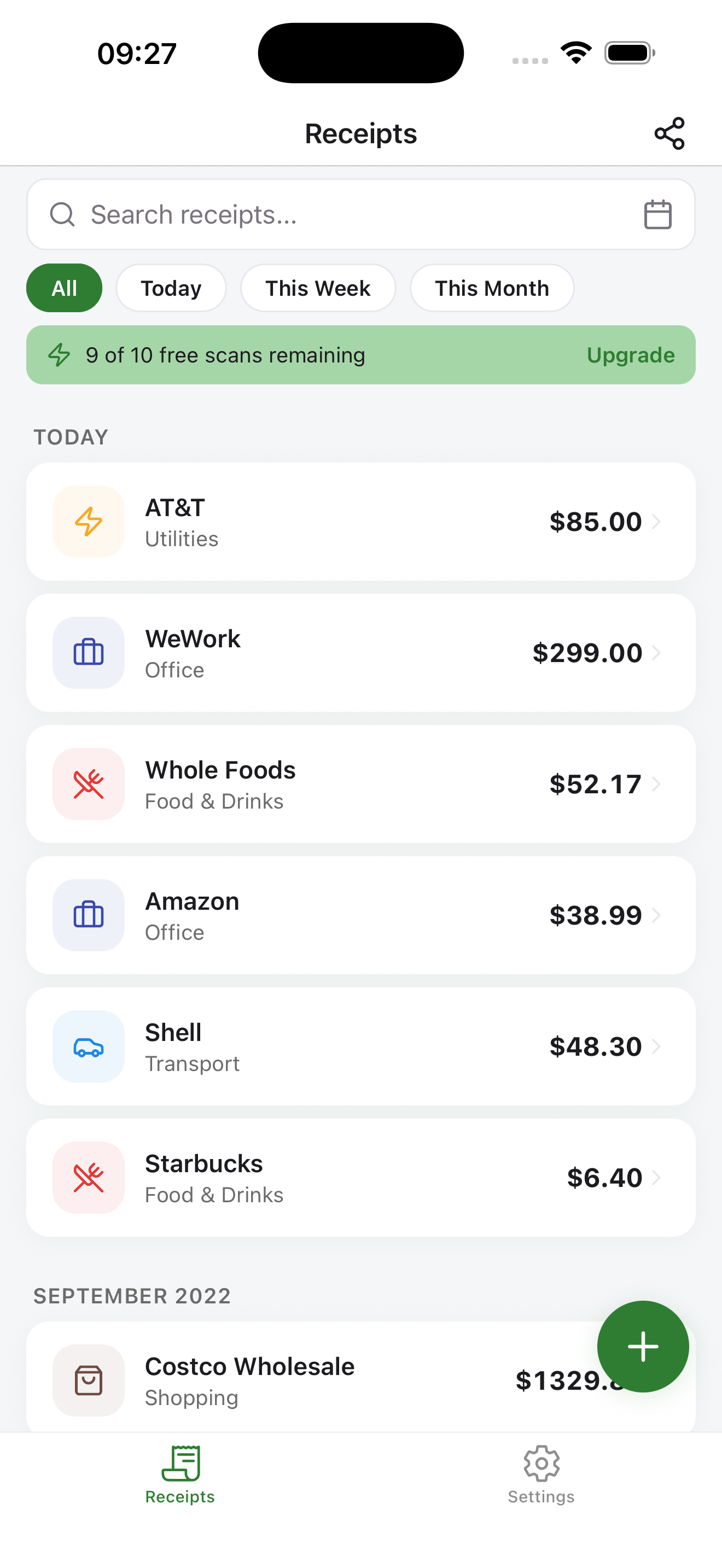
Find 'that Home Depot receipt from March' in 2 seconds. Filter by date, amount, vendor, category
9 tax categories, fully custom
9 defaults — Food & Drinks, Transport, Office, Healthcare, Shopping and more. Add your own
100+ languages
Foreign receipts? It reads them all — any language, no extra setup
No sign-up to start
Download, scan, done. No account, no credit card, no trial clock
If a 1099 has your name on it, this is for you
Mobile tradespeople
Plumbers, electricians, HVAC, mobile mechanics. Your truck is your office — and it's full of receipts
Rideshare & delivery drivers
Every fuel stop, every car wash, every meal on the road. All deductible. All forgettable
Creative freelancers
Photographers, videographers, designers. Client dinners, gear, travel — track it for 1099s without the friction
Realtors & field agents
Showings, staging, client coffees. Your expenses are mobile — your tracker should be too
Owner-operator truckers
Fuel, DEF, tolls, per-diem meals, truck repairs. A CPA-ready log without a binder in the cab
Booth renters & wellness pros
Stylists, nail techs, massage therapists, estheticians. Booth rent, supplies, CEU travel — all 1099, all deductible
House & Airbnb cleaners
Supplies, fuel between jobs, laundry runs. Your 1099 income needs a paper trail the IRS can't argue with
Independent trainers & coaches
Personal training, yoga, wellness coaching. Gear, CEUs, studio rent — scan it once, deduct it once
Before you download
01 How accurate is the AI?
Cloud AI reads vendor, date, and total from any printed receipt — gas stations, retail, restaurants, supplies. Always editable in one tap if the AI misreads something
02 What happens after 10 free scans?
You keep using the app. Scan more for $4.99/month or $29.99/year — no forced upgrade, cancel anytime
03 How do I use this at tax time?
Email the CSV to your accountant or use it to fill in TurboTax. Keep the PDF for audit-ready records — everything your CPA needs for Schedule C
04 Is it on Android too?
Yes — both iOS and Android, same features, same price
Start free. Pay only if you use it daily
- ✓ Unlimited scans
- ✓ All export formats (CSV + PDF)
- ✓ Priority support
- ✓ Everything in Monthly
- ✓ Save 50% vs monthly
- ✓ Best value for regulars
$30 a year to protect $3,000+ in missed deductions. One forgotten receipt already covers it
Stop typing.
Start scanning
Scan in seconds. 10 free to try. Zero sign-up
Available on iOS and Android · Free to start · No credit card